X sign-in and Google account linking
You can now sign in to Shannon with X, connect it to an existing Google-authed account (or vice versa), and merge two separate accounts that were created before you ever linked them.
You can now sign in to Shannon with X, the same way you’ve already been able to with Google. If you started on one provider and want the other too, connect it from settings in either direction. And if you ended up with two separate accounts, made separately before you ever linked them, you can merge them into one.
Shannon’s agents follow the “Always-on” Agents principle: work continues after you close the laptop, and a task can come from anywhere, including a mention on X that turns into a summary in your workspace. That only holds if X actually reaches the account you use day to day, not a second one you’d have to remember to check. Sign-in and account linking is what makes it true.
One workspace across X and Google
New to Shannon? Authorize with X and you get an account and a workspace immediately, no forms, no email required. X doesn’t hand back an email address on sign-in, and Shannon doesn’t ask for one to let you in.
Connect the account you already use
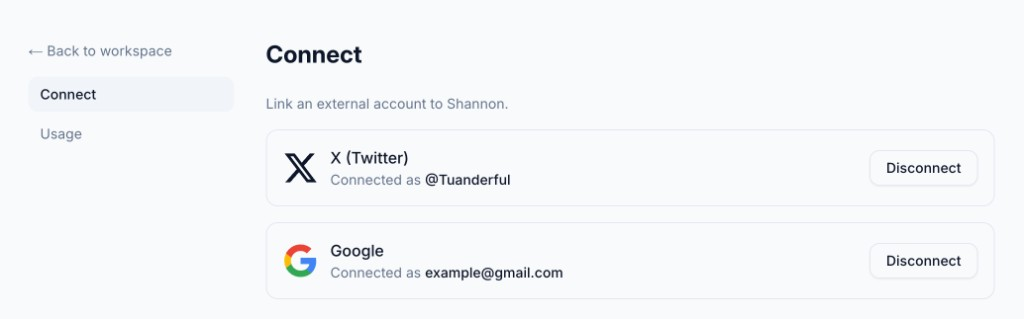
Already signed in with Google? Connect your X account from settings and either login now opens the same workspace. It works the other way too: an X-only account can connect a Google account, which is also how an email-less account picks up a real email address. Once connected, settings shows which handle or address you’re linked to, with a disconnect option behind a confirm step.
Merge accounts you made separately
If you made a Google account and an X account independently, before either one was linked to the other, you can merge them into one from settings. You prove you own both by signing in to one, then completing a real sign-in to the other. Then you see exactly what’s about to move over (workspaces, history, usage) before you confirm anything. If the two accounts were on different tiers, the merge keeps the higher one. Afterward, either login lands you on the single surviving account.
Under the hood
X’s OAuth response carries no email address, so there’s no shared key to auto-match an X identity against a Google one. I built it so Shannon never guesses which accounts belong to the same person: every link is something you do on purpose, from settings, and if a link attempt would attach an identity someone else already claims, it fails outright instead of reassigning it. That failure is the signal to merge rather than link: it routes you into the merge flow instead of leaving you stuck.
Connect X from Shannon’s settings, or sign in with it directly if you’re new.